AI Chat & Content Generation
Open a built-in AI assistant on every new tab. Write emails, brainstorm ideas, generate outlines, and answer questions without switching to ChatGPT in another tab. Conversations are saved, searchable, and exportable.
Your Browser, Supercharged
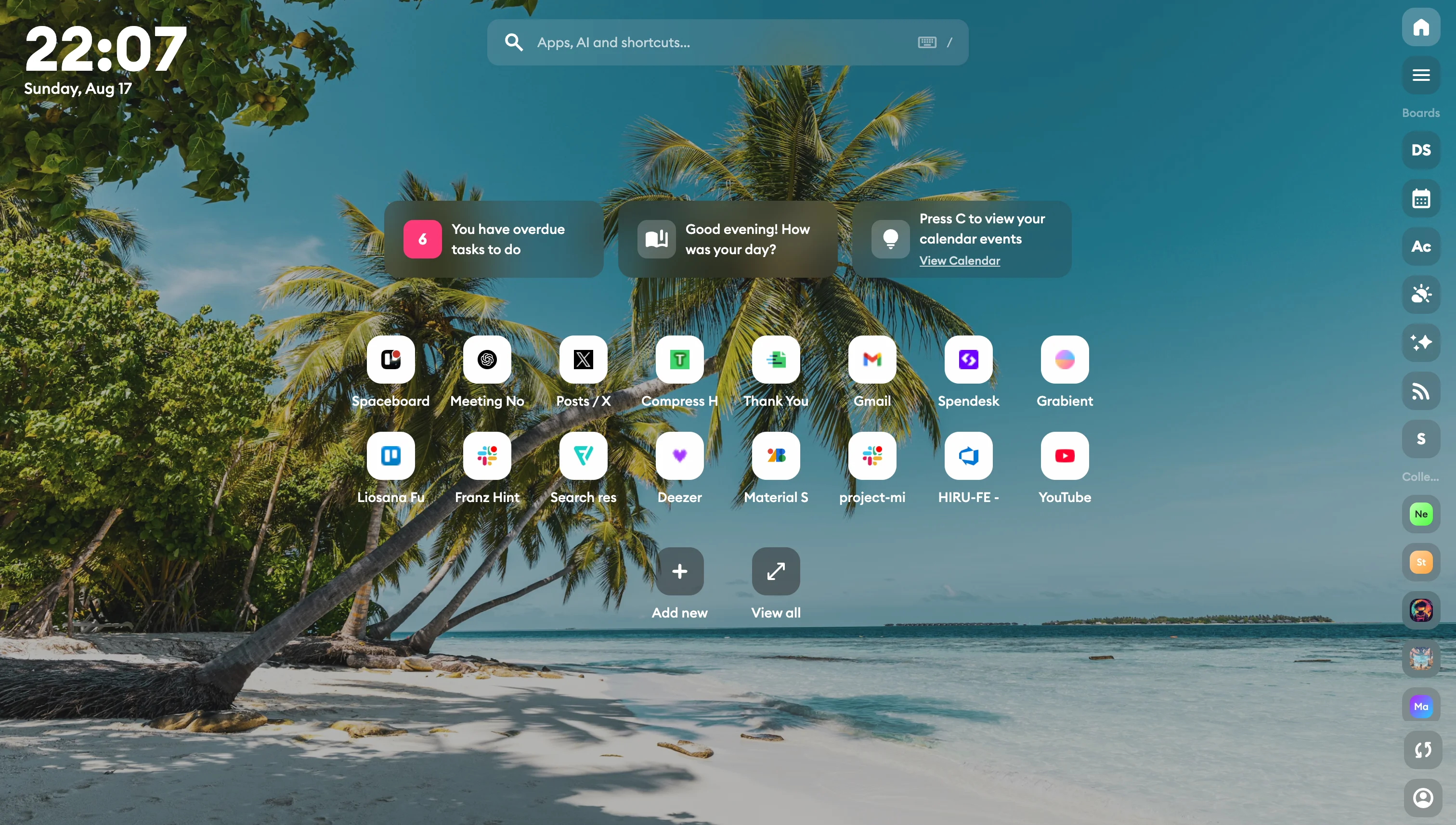
Spaceboard is an AI-powered Chrome extension that replaces your new tab with a customizable productivity dashboard. Get built-in AI chat, smart bookmarks, calendar, tasks, notes, widgets, and team integrations — all on the most-visited page in your browser.
Knowledge workers, developers, students, and teams — anyone who lives in the browser and wants their new tab to do more than show a search bar.
Replace 10 open tabs with one dashboard. AI chat, calendar, tasks, and your reference library on every new tab.
GitHub PRs, GitLab pipelines, JIRA tickets, and your bookmark library on a single screen. With AI to summarize docs and explain code.
Save papers, summarize articles with AI, take notes in canvas, and track reading streaks. Your study workspace, finally organized.
Asana, ClickUp, Todoist, and Google Calendar in one view. Daily AI briefings keep you on track without dozens of standups.
A complete tour of every feature in the extension — grouped by what it helps you accomplish. Every feature is built with the same goal: save you real time.
A complete suite of AI tools built directly into your new tab, with the right guardrails for everyday use.
Open a built-in AI assistant on every new tab. Write emails, brainstorm ideas, generate outlines, and answer questions without switching to ChatGPT in another tab. Conversations are saved, searchable, and exportable.
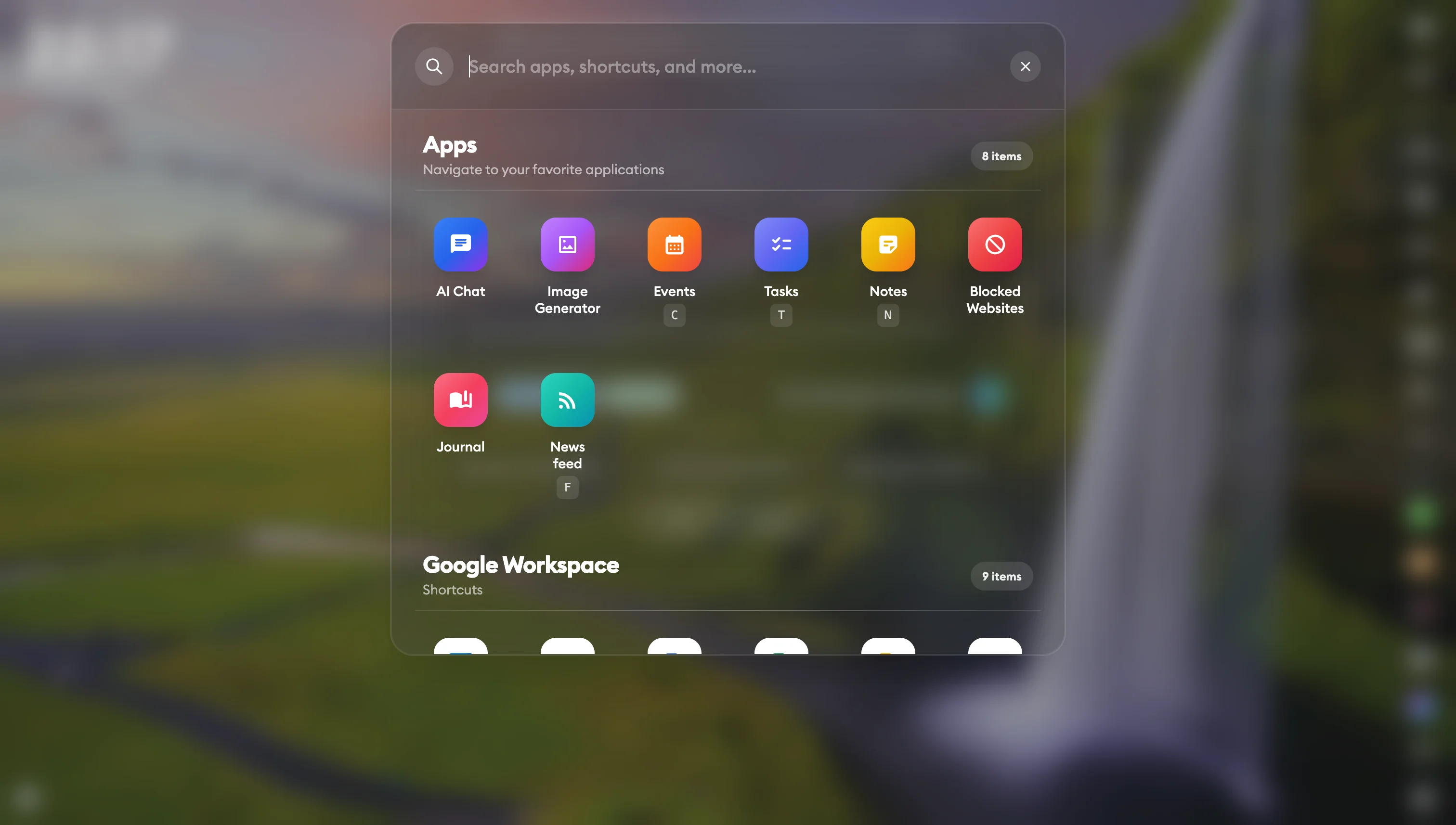
A spotlight-style command palette powered by AI. Type plain English like "open my React bookmarks", "summarize this article", or "set a 25-minute focus timer" — Spaceboard understands and executes. Faster than menus, smarter than keyboard shortcuts.
Select any text inside any input, email composer, or document editor. A floating AI button gives you 11 tone options (formal, casual, professional, persuasive…) and 30+ language translations — directly replacing the selected text.
Summarize any article, blog post, or research paper into a TL;DR plus key bullet points. Works on any URL without leaving the page — the summary appears inline so you don't lose your reading flow.
When saving a bookmark, AI reads the page metadata and suggests tags, dashboards, and folders to put it in. Removes the #1 reason most people stop saving bookmarks: manual organization.
A dashboard widget that turns your new tab into a one-line AI input. Quickly ask anything without opening a chat — the response appears inline. Perfect for definitions, conversions, and short questions.
All your tasks, meetings, and time tracking in one place. Pulls from the tools you already use.
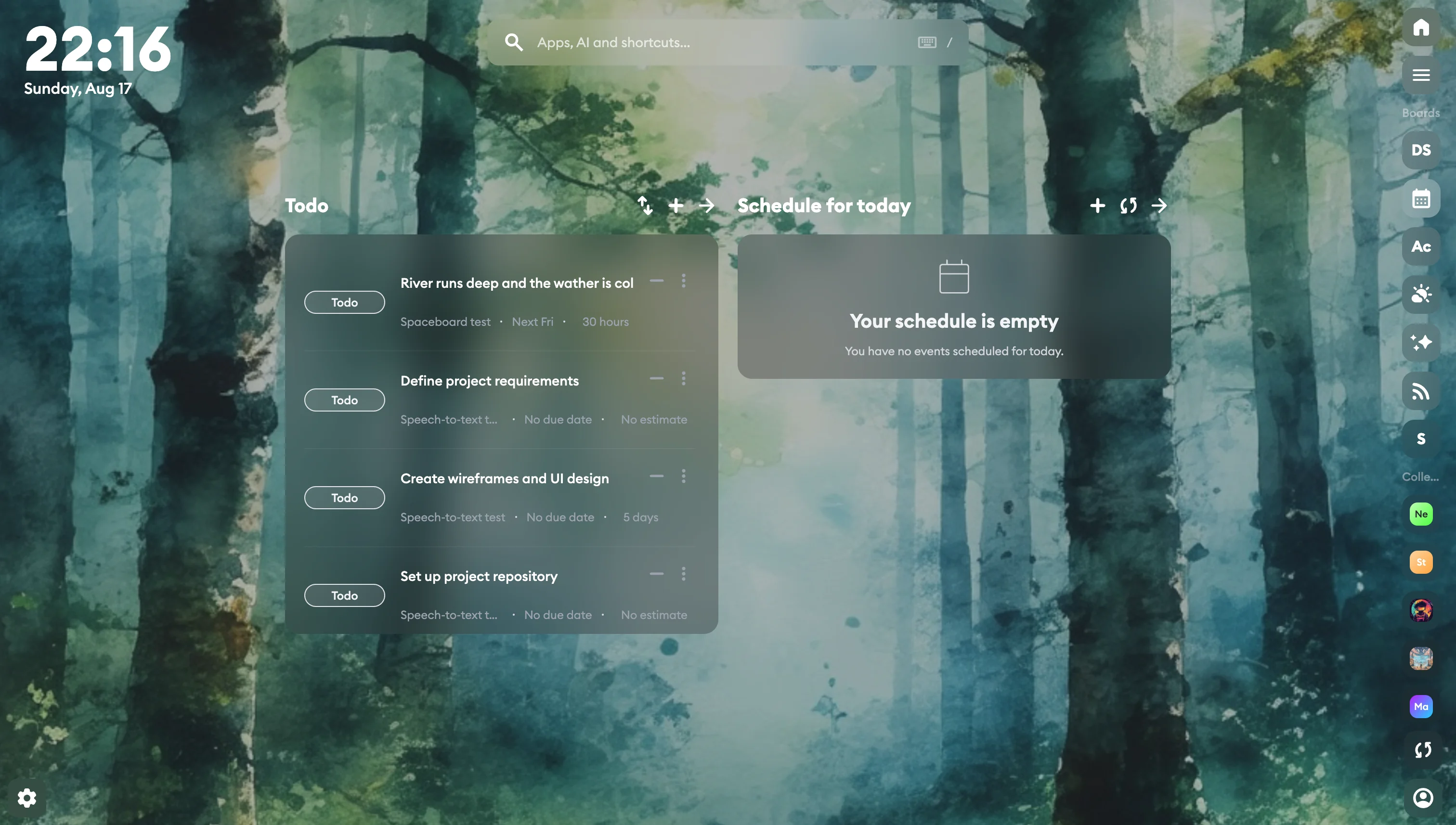
Connect your Google Calendar to see today's events directly on your new tab. View attendee avatars, join Google Meet or Teams calls in one click, and never miss a meeting again.
A complete task management system with due dates, priorities, recurring tasks, and project grouping. See overdue, due today, and upcoming tasks at a glance — or expand into the full task view.
Built-in Pomodoro timer with configurable work and break durations (default 25/5). Link sessions to specific tasks, track streaks, and auto-pause when work hours end.
Track time spent across tasks, projects, and websites. Daily and weekly summaries help you understand where your hours actually go — and where to claw them back.
A resettable daily checklist that tracks habits and recurring goals. Pairs with the streak tracker so consistency becomes visible — and addictive.
A built-in journal with daily writing prompts, mood tracking, and sentiment analysis. Build a writing streak and look back at your patterns over weeks and months.
A new approach to bookmarks and note-taking — built for people who save more than they read.
Group related bookmarks into named collections you can share, search, and reorder. Replace messy browser bookmarks with a visual library that actually scales beyond 50 items.
Pin any folder to your new tab dashboard for one-click access. Drag-and-drop to reorder, add icons, and customize how each folder looks — your most-used links always in reach.
Your Chrome reading list shown as a persistent dashboard widget with unread count, quick mark-as-read, and read/unread filtering. Finally a reason to use the reading list you forgot existed.
A built-in document editor for taking longer-form notes, project briefs, or meeting minutes. Rich text formatting, embedded links, image support, and full search across all your documents.
Single sticky note widget for fast capture. Tap to type, auto-saves on blur, pick a color, and optionally move into a folder later. The lowest-friction way to capture a passing thought.
Sign in once and access your dashboards, bookmarks, notes, and settings on any computer. Optional, encrypted, and toggleable — Spaceboard works fully offline if you prefer local-only.
Stop opening five tabs to check the weather, news, and time. It all fits on one beautifully designed dashboard.
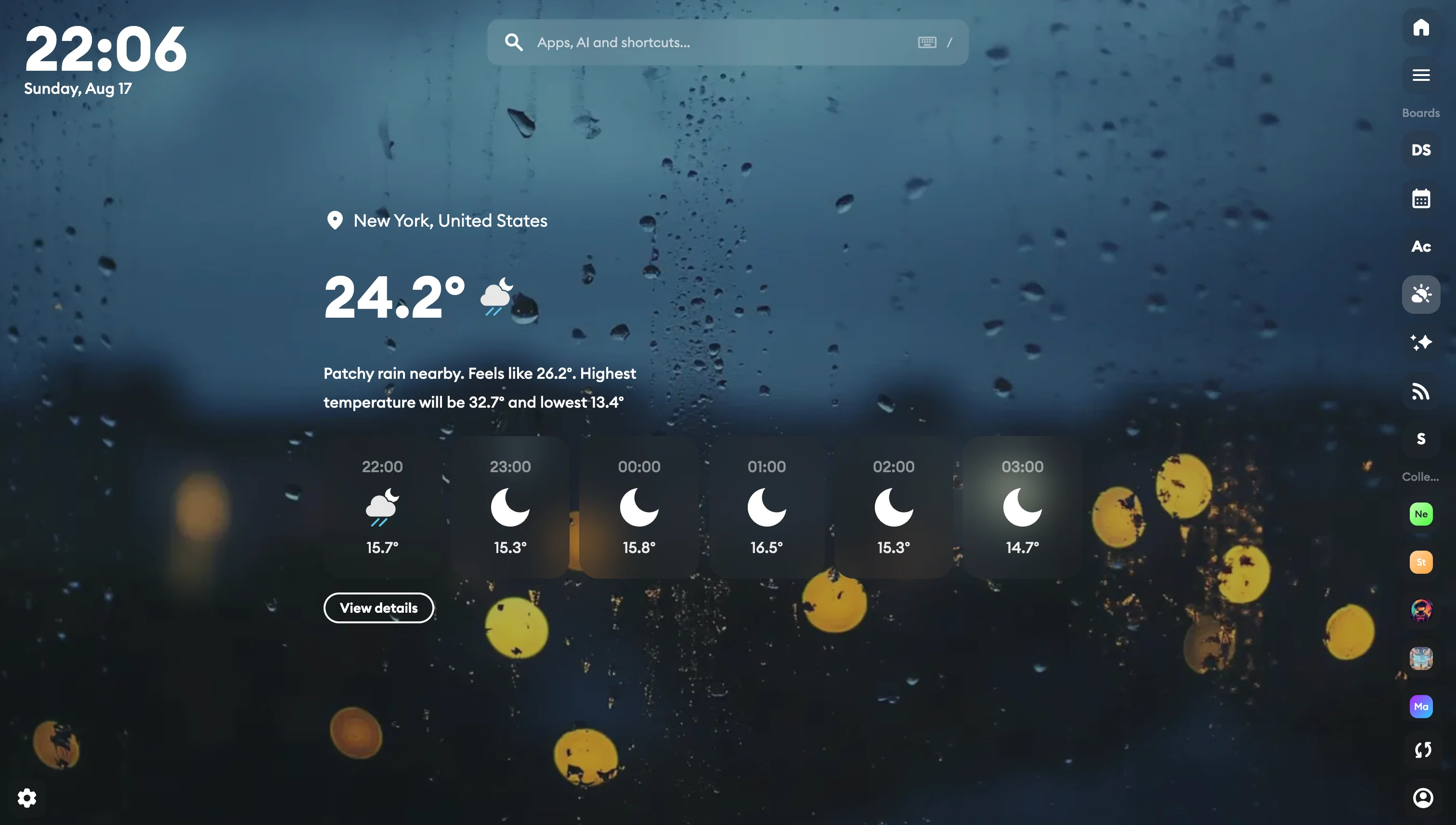
Current temperature, feels-like, conditions, and a 3-hour forecast with rain probability. Includes sunrise/sunset, UV index alerts, and air quality data. Auto-detects your location or set it manually.
Add your favorite RSS feeds and see top headlines from your sources directly on your new tab. Click through to articles, pin your favorites, and never miss what matters in your industry.
A fresh inspirational quote every day, plus rotating productivity tips. Both refresh every 24 hours so your dashboard always has something new without being noisy.
Discover what happened on today's date throughout history. A simple, daily-changing widget that makes your new tab feel slightly magical.
Test yourself with a fresh question every day across general knowledge, history, science, and more. A 30-second daily ritual that beats doom-scrolling.
Track events you care about with a countdown widget — weddings, launches, vacations. Or watch multiple time zones side-by-side with the World Clock for distributed teams.
OAuth integrations with the platforms developers and teams rely on. See the metrics that matter without leaving your new tab.
Recent commits, open pull requests, review requests, and notifications from your selected repositories. The fastest way to check "did anything happen?" without opening github.com.
Merge request activity, pipeline status, and notifications from your GitLab repos. Per-repo filtering so you only see what you care about.
See your assigned issues, current sprint progress, and recent activity from your JIRA workspace. One-click to open issues in JIRA, with filters per project and status.
Today's tasks, upcoming deadlines, and project progress from your Asana workspace. Tasks created in Asana appear alongside Spaceboard's native tasks.
Two-way Todoist sync — tasks created in either tool appear in both. Filter by project or label, mark complete, and add new tasks from either side.
ClickUp task lists, sprints, and assignments on your new tab. Perfect for teams that live in ClickUp but want a clean morning briefing on what to focus on.
Beautiful by default, customizable everywhere. Focus tools and wellbeing features built into the dashboard.
Each morning, AI generates a personalized briefing of your day: calendar events, top tasks, weather, news, and anything else that matters. Read it in 30 seconds, start the day informed.
Built-in ambient soundscapes — rain, café, forest, white noise — to help you focus. Plus internet radio support if you prefer music. Plays without leaving your new tab.
Choose from curated wallpaper collections or upload your own. Dynamic backgrounds that change throughout the day. Full dark and light mode support with auto-switching.
Create separate dashboards for work, personal, side projects — each with its own widgets, bookmarks, and layout. Switch instantly with a keyboard shortcut.
Your data lives in your browser's IndexedDB by default. No tracking, no analytics on your activity, no third-party data sharing. Cloud sync is optional and end-to-end encrypted.
Track your crypto portfolio with live prices, 24h percentage changes, and mini sparkline charts. Powered by CoinGecko — no account or wallet connection required.
A look at the dashboard, widgets, and AI features in real use.
Powered by Angular, NestJS, and Chrome's native APIs — fast, secure, and built to last.
Quick answers to what most people want to know before installing.
Yes. Spaceboard offers a generous free tier with the core dashboard, widgets, bookmarks, notes, and AI features. A Pro plan unlocks higher AI usage limits, advanced widgets, and team integrations.
Most features work fully offline and locally without an account. Sign-in is only required for cloud sync, AI features, and team integrations.
Spaceboard integrates with the major model providers including Anthropic Claude, OpenAI GPT, and Google Gemini. We route to the right model for each task with caching and rate limits to keep costs predictable.
Yes. Spaceboard is privacy-first and local-first by design. Your dashboards, bookmarks, and notes are stored in your browser's IndexedDB by default. Cloud sync is optional and end-to-end encrypted. We don't track your browsing or sell your data.
Yes. Once installed, every new tab opens the Spaceboard dashboard instead of the default Chrome new tab. You can disable this in extension settings if you prefer to launch it manually.
Spaceboard is available on Google Chrome and all Chromium-based browsers including Microsoft Edge, Brave, Arc, and Opera. A Firefox version is on the roadmap.
Install Spaceboard New Tab Dashboard now. Free to use, no account required, takes 30 seconds.